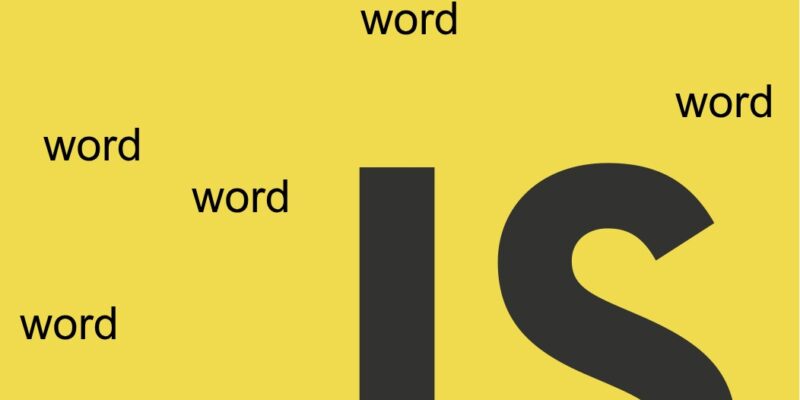
In this snippet we will implement an interactive bouncing words or word animation in Javascript with requestAnimationFrame() function.
Implementing a word animation in javascript requires a little bit of math operations and the use of setInterval() or requestAnimationFrame() functions. For this tutorial we will use the requestAnimationFrame() function.
requestAnimationFrame() accepts a callback and runs this callback in a smart way periodically in the same way as setInterval(), however requestAnimationFrame() paused when running in background or browser hidden tabs which makes it the best for handling animations.
Script setup
html:
<div id="stage">
  <span class="word">Hello</span>
  <span class="word">Creative</span>
  <span class="word">Motion</span>
  <span class="word">JavaScript</span>
</div>
Basic css:
<style>
        html, body {
  margin: 0;
  padding: 0;
  overflow: hidden;
  background: #0f0f14;
  height: 100%;
}

#stage {
  position: relative;
  width: 100vw;
  height: 100vh;
}

.word {
  position: absolute;
  font-size: 2rem;
  font-weight: 600;
  color: white;
  white-space: nowrap;
  will-change: transform;
  user-select: none;
}
    </style>
The #stage container wraps all the words needs animation and have position:relative and each word element have a position:absolute.
The core idea when moving the words around is using css position properties like top, left, right, and bottom or more elegant the css transform property.
JS:
<script>
    const words = [...document.querySelectorAll('.word')];

    const items = words.map(word => ({
       el: word,
       x: Math.random() * window.innerWidth,
       y: Math.random() * window.innerHeight,
       vx: (Math.random() * 2 + 0.5) * (Math.random() > 0.5 ? 1 : -1),
       vy: (Math.random() * 2 + 0.5) * (Math.random() > 0.5 ? 1 : -1)
    }));

    function animate() {
         const vw = window.innerWidth;
         const vh = window.innerHeight;

         for (const item of items) {
             const rect = item.el.getBoundingClientRect();

             item.x += item.vx;
             item.y += item.vy;

             // Horizontal collision
             if (item.x <= 0 || item.x + rect.width >= vw) {
                item.vx *= -1 * (0.8 + Math.random() * 0.4);
                item.x = Math.max(0, Math.min(item.x, vw - rect.width));
             }

            // Vertical collision
            if (item.y <= 0 || item.y + rect.height >= vh) {
                item.vy *= -1;
                item.y = Math.max(0, Math.min(item.y, vh - rect.height));
            }

            item.el.style.transform = `translate3d(${item.x}px, ${item.y}px, 0)`;
        }

      requestAnimationFrame(animate);
}

animate();
</script>
Let’s explain the script, first we query the all the words using querySelectorAll and store them as array in the words variable.
We map through each word using words.map() function which accepts a callback and return an object for each word containing:
el: The html word element.x: The initial x position of the word.y: The initial y position of the word.vx: This controls horizontal velocity (speed + direction).vy: Controls vertical velocity.
The x and y represent the initial position of the word on both x and y coordinates. So for x:
Math.random() * window.innerWidth
The Math.random() function generates a random value between 0 and 1, and when multiplied by the window.innerWidth it can produce a random value between the viewport width.
For example if the screen width is 1200px then x can be any value in range 0 -> 1200
The same is done for y coordinate but in the vertical direction so for y we used:
Math.random() * window.innerHeight
The Math.innerHeight represent the viewport height.
The vx and vy represent the initial velocity of each word on both x and y directions respectively.
To understand the idea behind velocity, for example vx divide the equation in two parts:
(Math.random() * 2 + 0.5): This part represent speed(Math.random() > 0.5 ? 1 : -1): This part represent direction.
For the speed part:
Math.random() * 2 + 0.5
Tells to move the word randomly in the range o -> 2 +0.5 which means each word has a random horizontal speed between 0.5 and 2.5. Of course you can increment speed by increasing the 0.5 value.
For the direction part:
Math.random() > 0.5 ? 1 : -1
This will move the word left or right by producing a positive or negative value, for example when word reach the right side of the screen it should revert back and the same if it reaches the left side.
To do that we check for Math.random() if it greater than 0.5 then it return 1 then move right otherwise it will return -1 and move in reverse.
An example for this the final velocity will be the (speed + direction):
1.3
-2.1
0.8
-1.7

So a word might move:
+1.3 px per frame → right
-2.1 px per frame → left
The vy (vertical velocity) also works the same way which moves the word upward or downward.
Next inside the animate() function, we retrieve the window innerWidth and innerHeight and loop through all the items objects. Inside the for loop, what to do is to recalculate the item.x and item.y properties and pass it to item.el.style.transform property:
item.el.style.transform = `translate3d(${item.x}px, ${item.y}px, 0)`;
The item.x is incremented by item.vx and item.y is incremented by item.vy. The next if statements check for horizontal and vertical collisions of each word
// Horizontal collision
if (item.x <= 0 || item.x + rect.width >= vw) {
      // item.vx *= -1;
      item.vx *= -1 * (0.8 + Math.random() * 0.4);
      item.x = Math.max(0, Math.min(item.x, vw - rect.width));
}

    // Vertical collision
if (item.y <= 0 || item.y + rect.height >= vh) {
      item.vy *= -1;
      item.y = Math.max(0, Math.min(item.y, vh - rect.height));
}
For horizontal collision we check that the item should not go outside screen left or right which accomplished by item.x <= 0 or item.x plus rect.width which means element width >= screen width. If this true then recalculate the item.vx like so:
item.vx *= -1 * (0.8 + Math.random() * 0.4);
And item.x:
item.x = Math.max(0, Math.min(item.x, vw - rect.width));
This equation has several parts, the inner Math.min() part return minimum value between (item.x and viewport width - element width). Then the result of Math.min() is taken as the second argument to Math.max() which will make the word move horizontally.
The same check is done for item.y to provide a vertical collision and move the item upward or downwards:
// Vertical collision
    if (item.y <= 0 || item.y + rect.height >= vh) {
      item.vy *= -1;
      item.y = Math.max(0, Math.min(item.y, vh - rect.height));
    }
And finally we call the requestAnimationFrame(animate) to achieve the animation which will repaint the viewport by calling the animate() function periodically.